
Why an account disconnected, and what to check
Open the creator in Creators and read the state on her page. It tells you whether VENUZ is bringing her back or someone has to log in again.
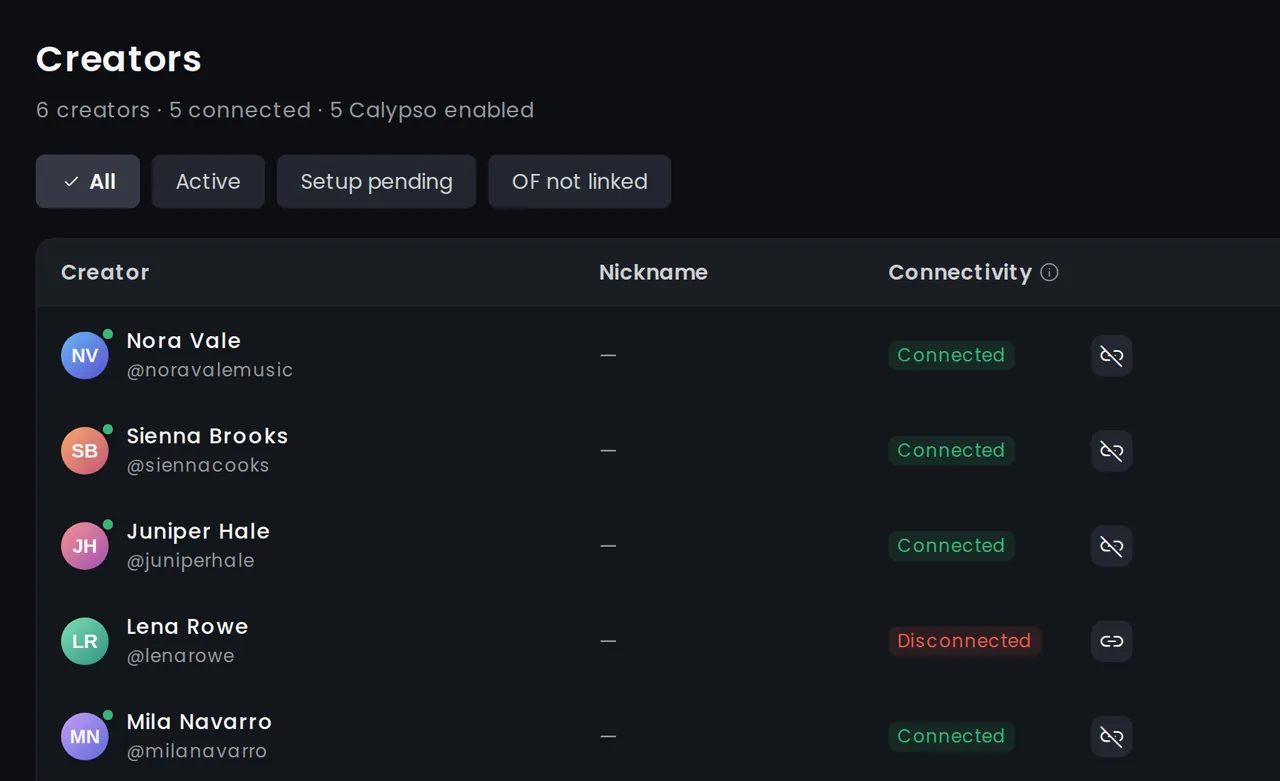
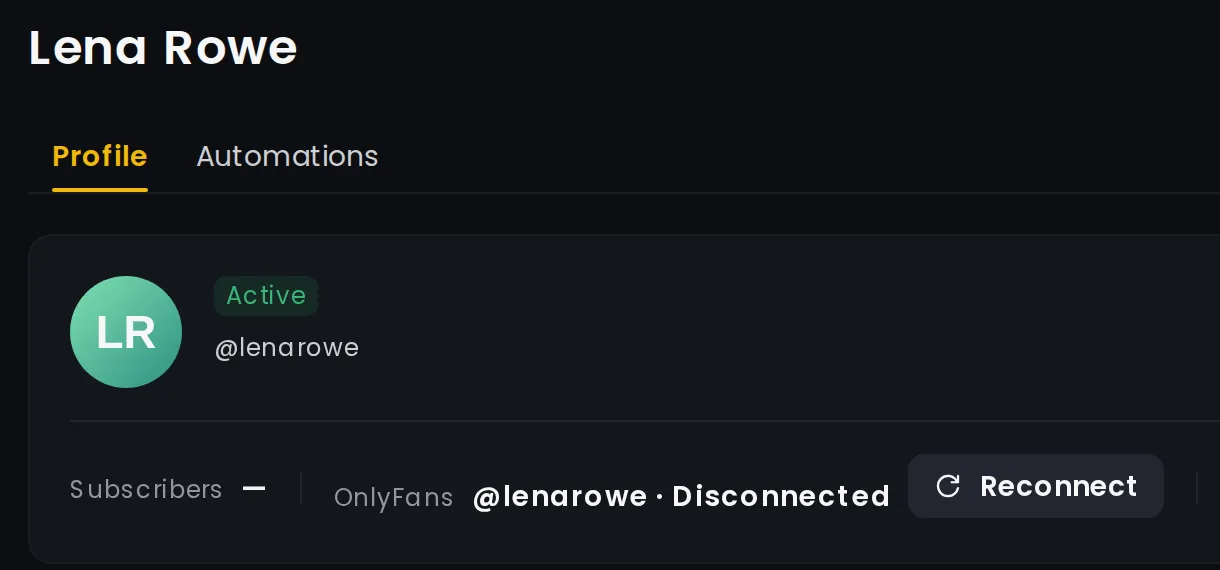
A creator’s account no longer shows Connected. Open Creators: her row says Disconnected under Connectivity. Click her row. The OnlyFans box at the top of her page shows the state in more detail. VENUZ doesn’t always know why an account disconnected, so start with the state you see.
What to check#
- Reconnecting… or Connecting… in the OnlyFans box at the top of her page. VENUZ is bringing the account back on its own. You don’t need to do anything. Checking… means VENUZ is confirming the state right now. It isn’t an error and it clears by itself, so there’s nothing to do.
- Verification required, with a notice that starts OnlyFans is asking for verification. OnlyFans wants a code or a face check before VENUZ can carry on. The notice says how, such as SMS code sent or Face verification required. Click Verify now and complete it in the login window.
- Log in again. OnlyFans no longer accepts the login VENUZ had, so someone has to log in to her OnlyFans account again. OnlyFans doesn’t say why. Common reasons are a password change or logging out of all devices on OnlyFans. Click Reconnect and log in with the VENUZ login app on your computer, using her current password. Log in to this creator’s own OnlyFans account, not another one.
- Your account is suspended for non-payment instead of the app. Your agency is suspended, and your creators’ accounts disconnect too. Pay what’s due on that screen, or ask your Owner to. Then reconnect each creator: each one needs a new OnlyFans login.
- Disconnected, with nothing else. Click Reconnect. If VENUZ can bring the account back by itself, it does, and the state turns to Connecting… and then a check mark. If it can’t, the Reconnect OnlyFans account window opens. Log in with the login app. If someone on your team disconnected the account, it shows Disconnected too. Click Reconnect and log in with the login app.
- You don’t see Reconnect. Your role can’t connect accounts. Ask your Owner.
- Your VENUZ login app is out of date. Click Download the latest version, install it and open it again. Then click Reconnect.
- Connection failed after the login window closed. Click Retry.
Calypso may still be off
After the account is back, Calypso may still be off for her. See Turn Calypso off for a creator, and back on.
When you contact us, include the creator and the state her account shows.
Where to go next
Overview · 3 min readWhat happens while an account is disconnectedHow-to · 2 min readTurn Calypso off for a creator, and back onTroubleshooting · 3 min readCalypso isn’t replying to a fan
Did this answer your question?
Sorry about that. What went wrong?
Couldn’t send that. Try again.
Still stuck?
Write to us and a person from the VENUZ team answers. Tell us the creator and what you were trying to do.