
Read the results of a mass message
Growth → Mass messages shows how each send went out, how fans responded and what a paid one earned. Mass PPVs also show sales by list.
Every mass message a creator sends shows up in Growth → Mass messages. Pick the creator, then a tab: Mass message for messages and single paid sends, and PPV mass message for PPVs sent to several lists at different prices.
The cards at the top#
On the Mass message tab, 4 cards sum up the creator’s mass messages:
- Sent 30d: how many times her free mass messages were delivered.
- Read rate: the share of those that fans opened.
- Active: how many automated mass messages are running.
- Next send: how long until the next one goes out.
Sent 30d and Read rate cover the last 30 days, whatever window you pick for the table. When a card shows Latest N sends only, its figures cover just those sends.
How each send did#
Click Sends, next to Campaigns. The table lists the most recent sends, one per row. If there are more, a line under it says so.
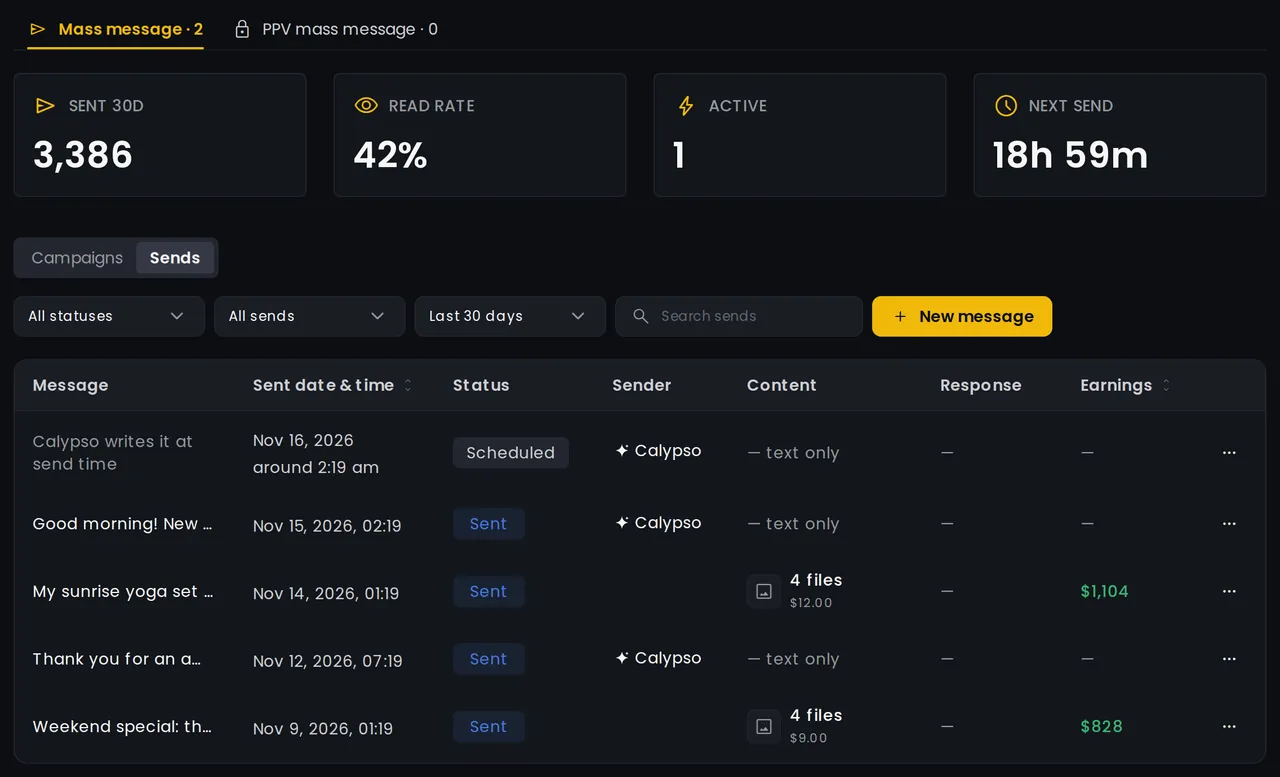
- Message and Sent date & time.
- Status: Sent, Scheduled, Unsent (your team took it back), Auto-unsent (VENUZ took it back on its own) or Canceled. A clock next to Sent shows after how many hours VENUZ takes it back.
- Sender: Calypso, when Calypso wrote it.
- Content: the number of files and, for a paid send, its price, or text only.
- Response: two percentages. The first is how many fans wrote to the creator in the 4 hours after delivery, as a share of the fans who got the send. The second, marked base, is the same count for the 4 hours before, so you can compare. Fans who wrote for another reason count too.
- Earnings: for paid sends, what fans paid, before OnlyFans’ fee.
Above the table you can filter by status (Unsent also lists the auto-unsent ones), search, and pick a window: Last 24 hours, Last 7 days, Last 30 days or Last 90 days.
The window you pick decides which sales count in Earnings. It doesn’t change which sends are listed. Windows count whole days, so Last 24 hours can reach back to the start of yesterday.
How a mass PPV sold#
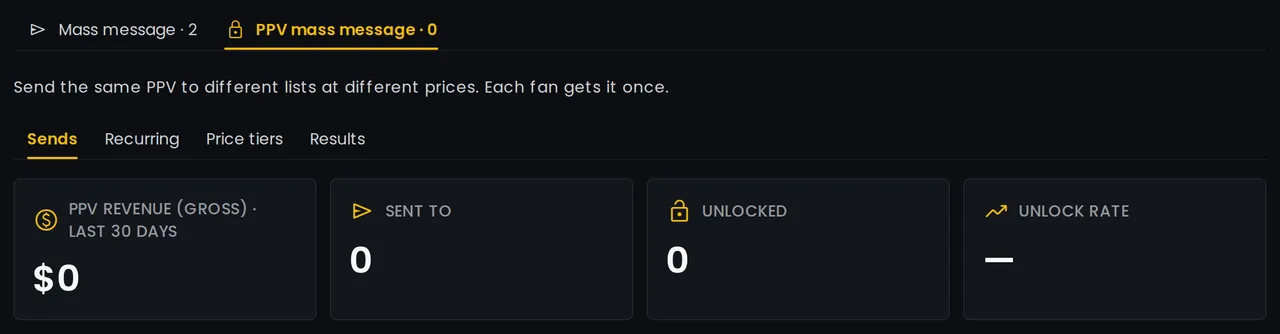
On the PPV mass message tab, Sends lists each PPV send with its lists and prices, fans, revenue and unlock rate. The cards on top add up the last 30 days. These totals can leave out lists still waiting for OnlyFans stats. A note says how many.
Click Results → on a send, or open Results and pick the send. You get:
- 4 cards: Revenue (gross, with the amount after OnlyFans’ 20% fee underneath), Sent to, Unlocked and Revenue per fan (gross).
- One row per list: Price, Sent to, Unlocked, Unlock rate, Revenue (gross), Net (after 20%) and Per fan (gross).
- Best list: the list that made the most per fan who got the PPV. If every list had the same price, it compares audiences, not prices.
These sales keep updating for 7 days after delivery. After that they stay as they were.
When a number shows "—"#
VENUZ doesn’t show a 0 it doesn’t have from OnlyFans. A "—" means:
- The send hasn’t gone out yet, or OnlyFans hasn’t confirmed it was delivered.
- In Response: the 4 hours after delivery haven’t passed yet, two sends went out so close together that the replies can’t be split, or VENUZ couldn’t count it within 7 days of delivery.
- In Results: Waiting for OnlyFans stats or OnlyFans gave no stats. A line under the table says how many lists aren’t in the totals.
- OnlyFans can’t be read right now. A message above the table says so.
Paid sends with no OnlyFans stats in the window you picked are left out of the table. A message says how many.
Earnings, Revenue and Per fan are gross, what fans paid. Net is after OnlyFans’ fee. See Net and gross: why a number differs from OnlyFans.
If the creator’s account shows Disconnected, the page shows a notice instead of numbers.
Where to go next
Couldn’t send that. Try again.
Still stuck?
Write to us and a person from the VENUZ team answers. Tell us the creator and what you were trying to do.