
Take over a chat and hand it back
Step in on any chat Calypso is handling, reply yourself, and give it back to Calypso when you are done. Calypso never replies while you are in control.
Before you start
- Who can do this
- Owners and Admins, or anyone with the Send & manage conversations and Take over a conversation permissions
Open a chat Calypso is handling#
- In the Inbox, switch to Conversation.
- Pick the creator in the list on the left to see all her chats.
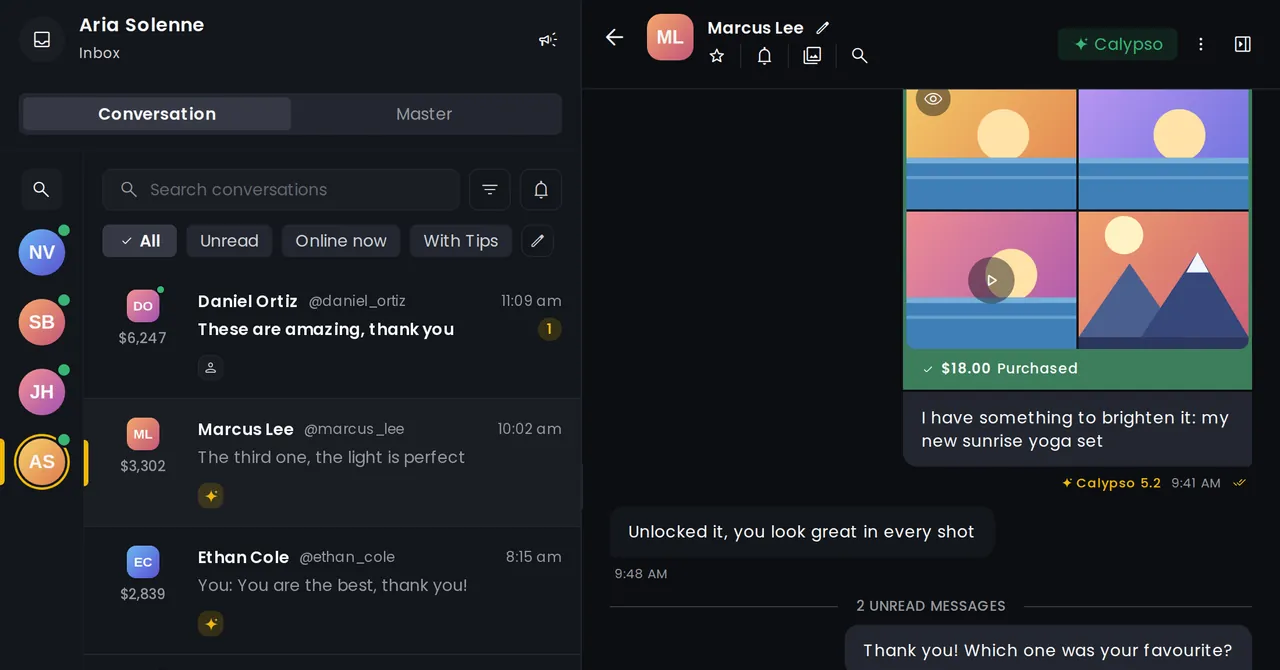
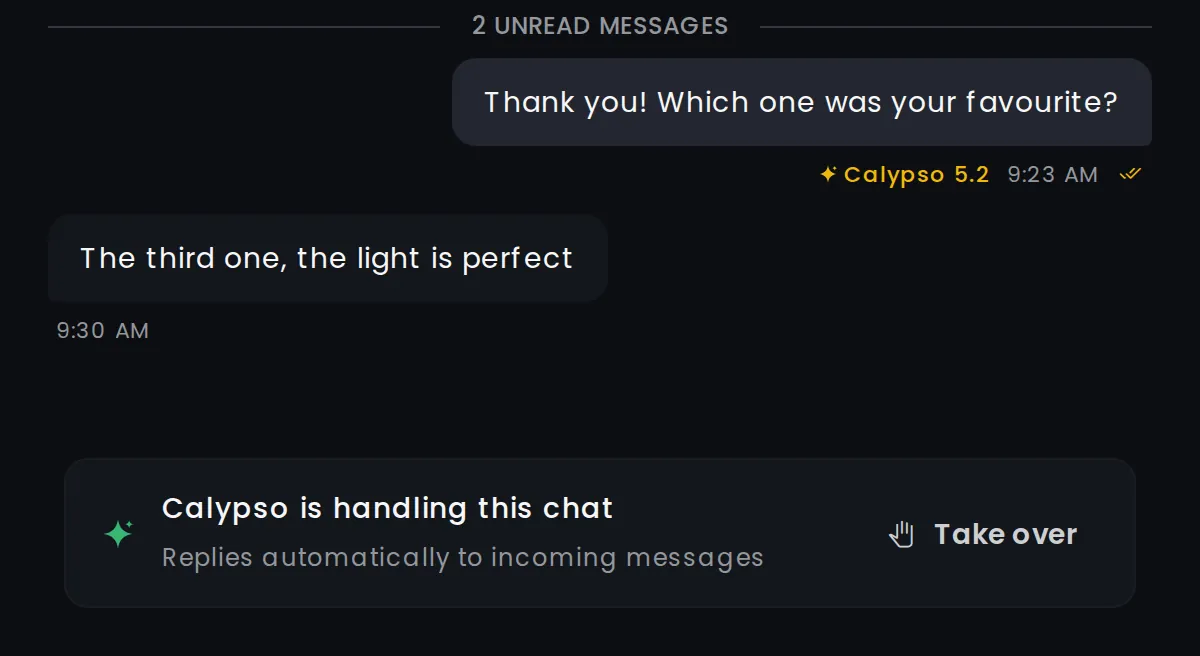
- Open a chat that Calypso is handling.At the bottom you will see Calypso is handling this chat.
Take over and reply#
- Click Take over.Calypso stops replying in this chat right away, and the message box is yours.
- Type your reply in the message box and click Send, as you would in any chat.
Hand it back to Calypso#
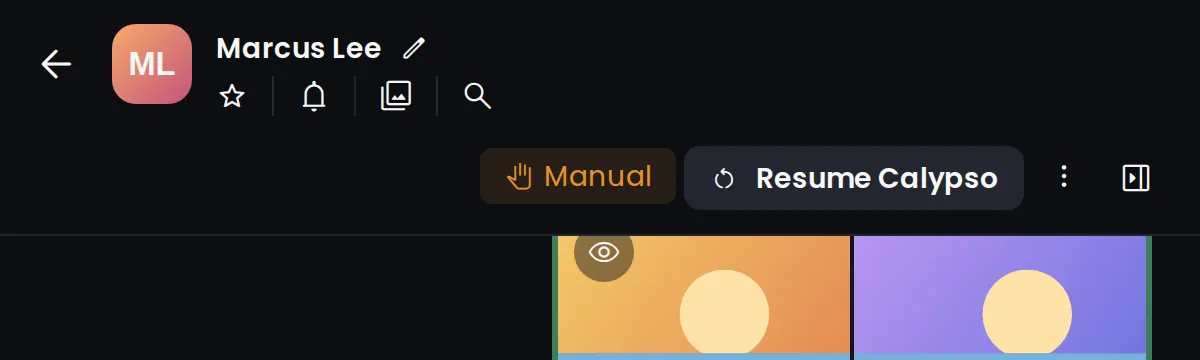
- When you are done, click Resume Calypso at the top of the chat to hand it back.The bar at the bottom says Calypso is handling this chat again.
Good to know#
Only this chat changes
Calypso keeps replying in the creator’s other chats.
When Calypso asks for you
When Calypso needs a person, it hands the chat to your team and alerts you. If it hands over the same chat again within 24 hours and nobody has stepped in, you are not alerted twice, unless it is more serious this time.
Where to go next
Video · 0:47Work the chats that need a humanHow-to · 2 min readTurn Calypso off for a creator, and back on
Did this answer your question?
Sorry about that. What went wrong?
Couldn’t send that. Try again.
Still stuck?
Write to us and a person from the VENUZ team answers. Tell us the creator and what you were trying to do.