
The Dashboard at a glance
The Dashboard shows what your creators earned in the period you pick, what’s happening right now and what needs your team, in cards you can rearrange.
The Dashboard is the first page VENUZ opens if your role can see analytics. If it can’t, VENUZ opens another page you have access to, such as the Inbox.
The controls at the top#
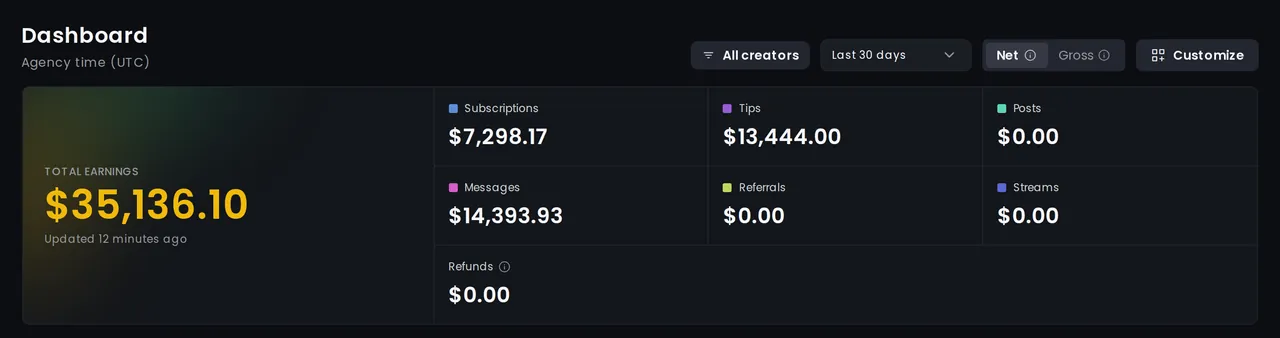
- Agency time, under the title, names the time zone the page counts its days in.
- The creator picker narrows the earnings cards, Creators, Top creators, Sales by price range and Daily buyers.
- Period sets the dates: Today, Yesterday, This month, Last month and other ranges, or a Custom range you pick on a calendar.
- Net shows what the creators keep after OnlyFans’ fee. Gross shows what fans paid. The switch changes the earnings figures on the page.
- Customize lets you move and hide cards.
Right now, Action items, Monthly goals and Your Calypso rank don’t follow the creator picker. Monthly goals and Your Calypso rank are always net, and so is the change against the previous period. With Gross on, it says (net).
What each card shows#
- Earnings summary: Total earnings for the period, the change against the previous period, and what each channel OnlyFans reports brought in: Subscriptions, Messages, Tips, Posts, Referrals and Streams. Refunds is the money returned to fans through OnlyFans refunds and bank chargebacks.
- Earnings trend: earnings by day, week or month. The dashed line is the previous period, bar for bar, and today’s bar counts the sales so far. Beside it, Earnings breakdown splits the whole period, or the bar you pick, by channel. In the Widgets menu this card is listed as Earnings.
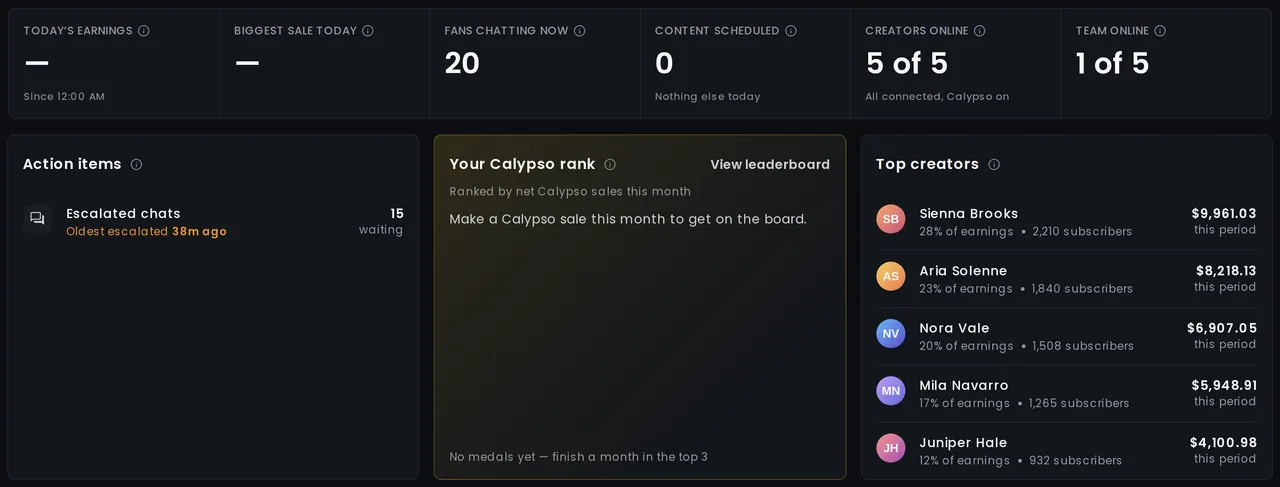
- Right now: Today’s earnings since midnight agency time, Biggest sale today, Fans chatting now, Content scheduled, Creators online and, if your role can see the team, Team online. Content scheduled counts the mass messages and scheduled messages still to go out today from VENUZ, not what’s scheduled in OnlyFans itself. Creators online counts creators connected to OnlyFans with Calypso on.
- Action items: what’s waiting on your team right now, whatever the period: Handed to your team, Overdue customs and Creators not connected. Each row opens the page that fixes it. With nothing to do, it says Nothing waiting.
- Your Calypso rank: where your agency stands this month among agencies on VENUZ, by net Calypso sales. View leaderboard opens the full board. See Team results and the Calypso leaderboard.
- Top creators: the creators who earned the most, with their share of the agency’s earnings. Click a creator to see her in Analytics.
- Sales by price range: every payment in the period, grouped by what the fan paid before OnlyFans’ fee. It helps when you price PPVs.
- Daily buyers: how many fans bought something each day, each fan counted once a day.
- Monthly goals: each creator’s net earnings this month against her goal, split into On track and Behind. A creator is on track when the share of her goal she has reached is at least the share of the month that has gone. If your role can manage settings, Set goals lets you change them.
- Creators: every creator side by side for the period. Click a row to open that creator in Analytics.
A — means VENUZ couldn’t confirm the figure. If some creators’ earnings couldn’t load, an amber notice says so above the cards, with Retry. If a figure doesn’t match OnlyFans, see Net and gross: why a number differs from OnlyFans.
Rearrange the page#
Click Customize, then drag a card to move it. Widgets chooses which cards show. Reset to default loads the original layout.
Nothing is kept until you click Save layout. Cancel drops your changes. Right after you save, Undo puts the previous layout back. Action items can move but can’t be hidden.

The layout is saved in the browser you use, so another computer starts with the default layout.
Dig deeper#
To look into one creator, Calypso or your team, open Analytics → Earnings. See Read your earnings.
Where to go next
Couldn’t send that. Try again.
Still stuck?
Write to us and a person from the VENUZ team answers. Tell us the creator and what you were trying to do.