
Nudge quiet fans with Poke
Poke lets Calypso message a fan who went quiet, when the fan comes back online. You choose how often, and you turn it on per creator.
Before you start
- Who can do this
- Owners and Admins, or anyone with the Manage Calypso settings permission. With View Calypso settings only, you can see the settings but not change them
- You need
- Calypso on for the creator. See Turn Calypso off for a creator, and back on
Open Poke for a creator#
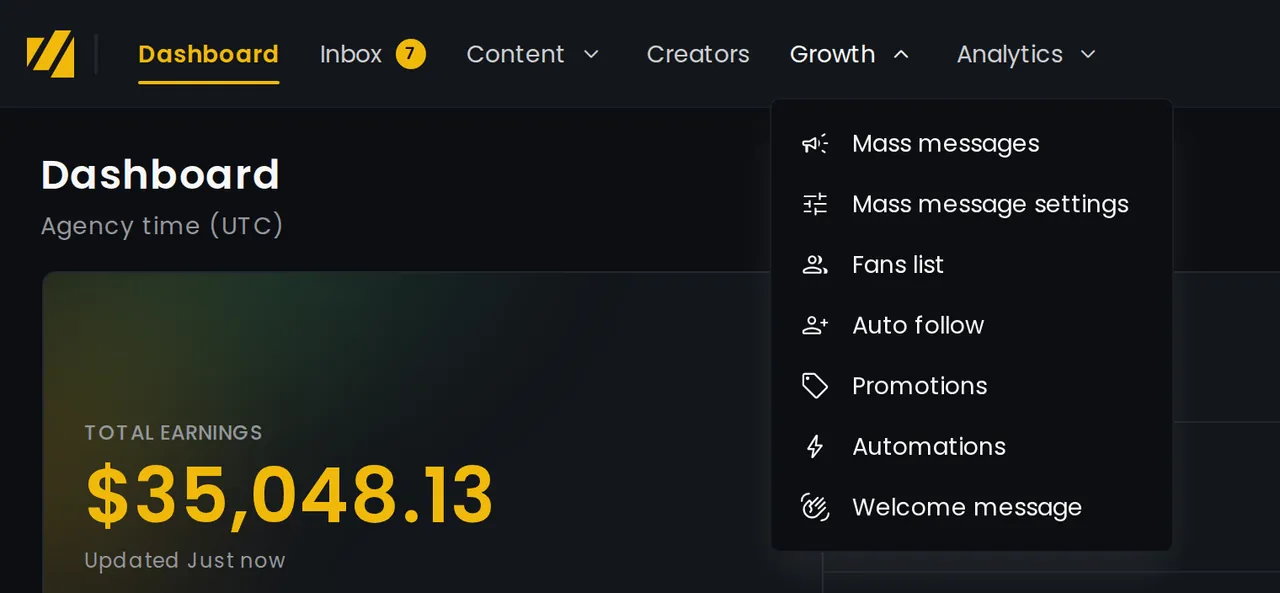
- In the top bar, open Growth → Automations.
- Pick the creator in the list on the left.Each creator has her own Poke settings.
- Open the Poke card.
Choose how often#
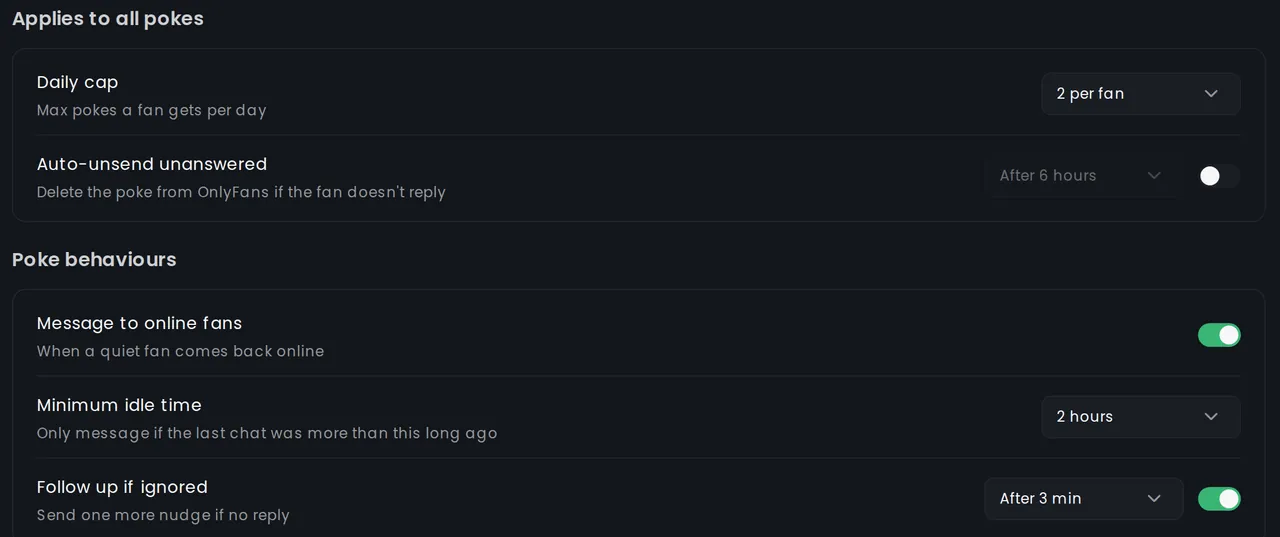
- Under Applies to all pokes, choose the Daily cap.It is the most pokes one fan can get in a day.
- Under Poke behaviors, keep Message to online fans on.When a fan who has been quiet for longer than the Minimum idle time you pick comes back online, Calypso decides whether to message them. It can choose to stay silent.
- To send one more nudge when the fan doesn’t answer, turn on Follow up if ignored and pick the wait.The follow-up counts toward the Daily cap. With the lowest cap, it never goes out.
- If you changed anything, click Save.
Turn it on#
- Turn on the switch on the Poke card.
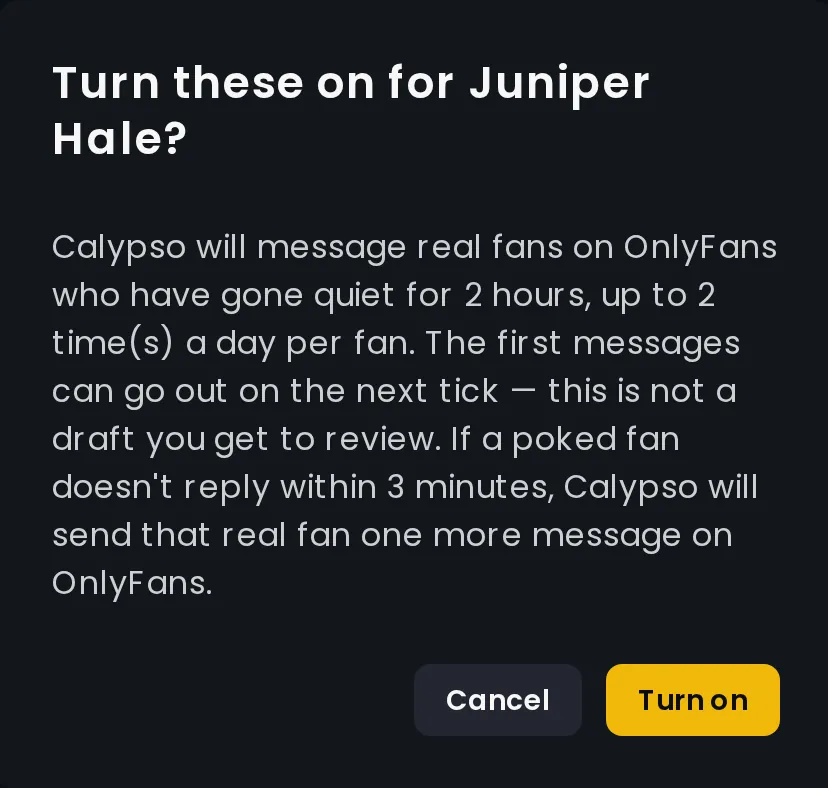
- VENUZ tells you who Calypso will message and how many times a day each fan can get one. Click Turn on to start.The first pokes can go out right away.
What Calypso does#
You choose how often and when, not the words.
Auto-unsend unanswered deletes a poke from OnlyFans if the fan does not reply in the time you pick. A deleted message cannot be brought back.
Common questions#
Fans Calypso doesn’t poke
Calypso does not poke a fan whose chat your team has taken over, or a fan the creator’s filter sends to your team. It doesn’t poke a fan who has just received a welcome message.
Turn Poke off
Turning Poke off with the same switch stops new pokes at once. VENUZ doesn’t ask you to confirm.
See the pokes sent
Poke history inside the card lists the recent pokes sent to fans, with their status. You see it if you have the View Calypso settings and View conversations permissions.
Find Poke from the Creators page
You can also find Poke on the Creators page. Open the creator, then her Automations tab.
Where to go next
Couldn’t send that. Try again.
Still stuck?
Write to us and a person from the VENUZ team answers. Tell us the creator and what you were trying to do.