
Set up a welcome message
Greet each new fan automatically with the instant OnlyFans message, a VENUZ welcome sequence of several messages, or both.
Before you start
- Who can do this
- Owners and Admins, or anyone with the Create & edit welcome messages permission to write a sequence or change the OnlyFans message, and Turn welcome messages on or off to turn a sequence on or pause it
- You need
- The creator’s OnlyFans account connected. If she shows Disconnected, reconnect her first
- Works on
- A computer or a tablet
Open the welcome for a creator#
- In the top bar, open Growth → Welcome message.
- Pick the creator in the list on the left.
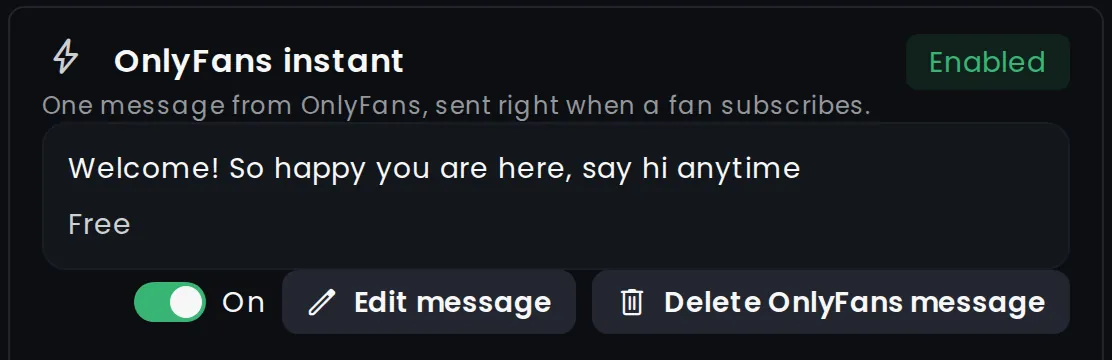
- The OnlyFans instant card shows the one message OnlyFans sends the moment a fan subscribes, and whether it is Enabled.
- On the VENUZ welcome sequence card, click Create sequence.
Write the sequence#
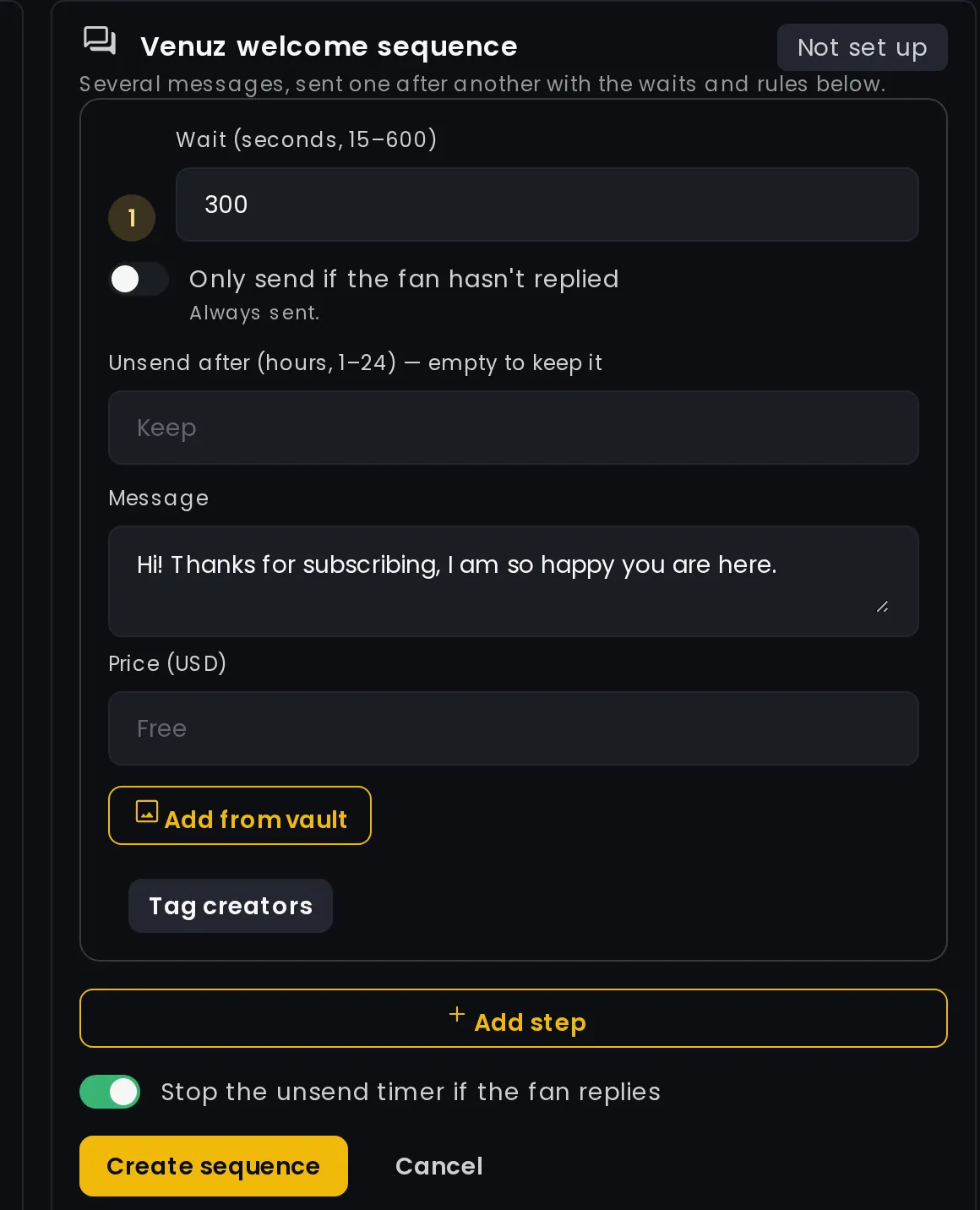
- Write the first Message.Leave Price (USD) empty to send it for free.
- Set how many seconds after the fan subscribes this step goes out, from 15 to 600.
- For more messages, click Add step.Each step waits after the one before it. A sequence can have up to 20 steps.
- Click Create sequence.The new sequence starts Paused.
Turn it on#
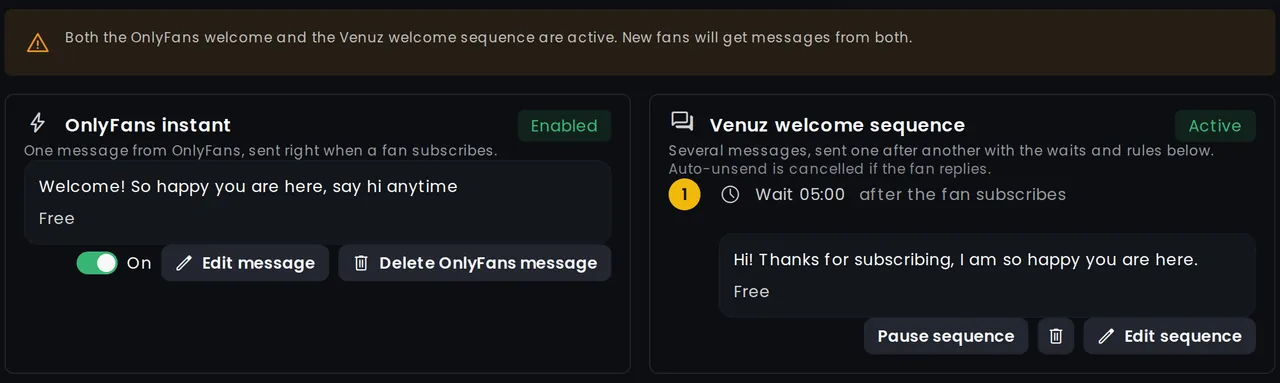
- When you are ready, click Activate sequence.
- If the OnlyFans message is on too, VENUZ warns you that new fans will get messages from both.To send only one, turn off the switch on the OnlyFans instant card or pause the sequence.
Who gets it#
The sequence goes to fans who subscribe after you activate it. A fan gets it only once from a creator, even if they subscribe again later.
While it is paused, no step goes out. A fan who is part way through when a step comes due loses the remaining steps, and activating the sequence again does not bring them back.
Common questions#
The fan answers before the sequence ends
If the fan writes, tips or buys a PPV, the steps that have not gone out yet are canceled.
Change the OnlyFans instant message
Click Edit message on its card.
Stop or remove the sequence
Pause sequence stops it. Delete sequence removes it for good.
Price (USD) is grayed out
You need the Send paid content (PPV) permission.
See it from the Creators page
You can also see a creator’s welcome on the Creators page. Open the creator, then her Automations tab.
Where to go next
Couldn’t send that. Try again.
Still stuck?
Write to us and a person from the VENUZ team answers. Tell us the creator and what you were trying to do.