
Turn on 2FA
Add a code from an authenticator app to your login, so your password alone is not enough to open your account.
Before you start
- You need
- An authenticator app on your phone, for example Authy or Google Authenticator
- Who can do this
- Anyone on your team, for their own login
Start the setup#
- Click your picture or initials in the top right corner.
- Click My profile.
- Open Security.The 2FA card shows Off.
- Click Turn on.

Add VENUZ to your app#
- In your authenticator app, scan the QR code.If you can’t scan it, type the key shown under Or enter this secret manually.
- Click Next.
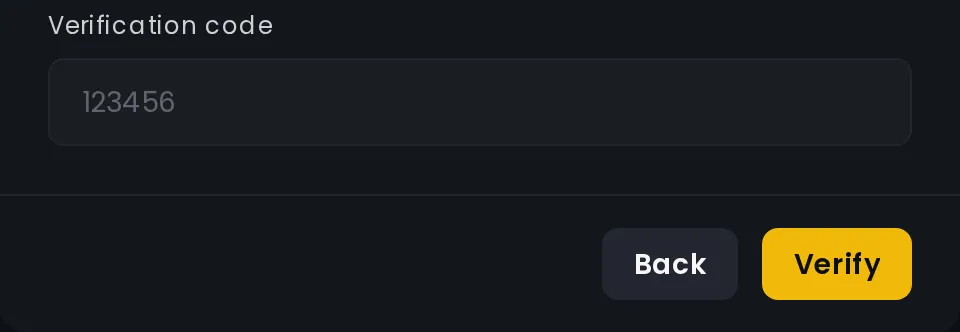
- Type the 6-digit code your app shows into Verification code.
- Click Verify.2FA is on from this moment.
Save your recovery codes#
- Save the 10 recovery codes in a password manager.VENUZ shows them only once.
- Select I saved my recovery codes, then click Done.The card shows On.
VENUZ can’t show them again. If you close without saving them, you can still turn 2FA off with a code from your app.
Good to know#
VENUZ asks for the 6-digit code from your app. The app gives a new code every 30 seconds.
2FA stays off until you click Verify.
Common questions#
You lost your phone
Click Use recovery code when VENUZ asks for your code. Each recovery code works once. If you lost your recovery codes too, click I lost my phone and recovery codes on that screen.
Turn it off
Open My profile → Security and click Turn off. VENUZ asks for a code from your app, or a recovery code, and for your password if your account has one. As the window says, this device is logged out within 15 minutes. Log in again with your password.
Where to go next
Couldn’t send that. Try again.
Still stuck?
Write to us and a person from the VENUZ team answers. Tell us the creator and what you were trying to do.