
Turn DRM on or off
DRM is an OnlyFans setting for each creator. When it is on, VENUZ can’t play the videos she uploads from then on, and Calypso can’t see what’s in them.
Before you start
- Who can do this
- Owners and Admins, or anyone with the Change DRM protection permission
Open the setting#
- In the top bar, open Creators.
- Click the creator in the table.Her Profile opens.
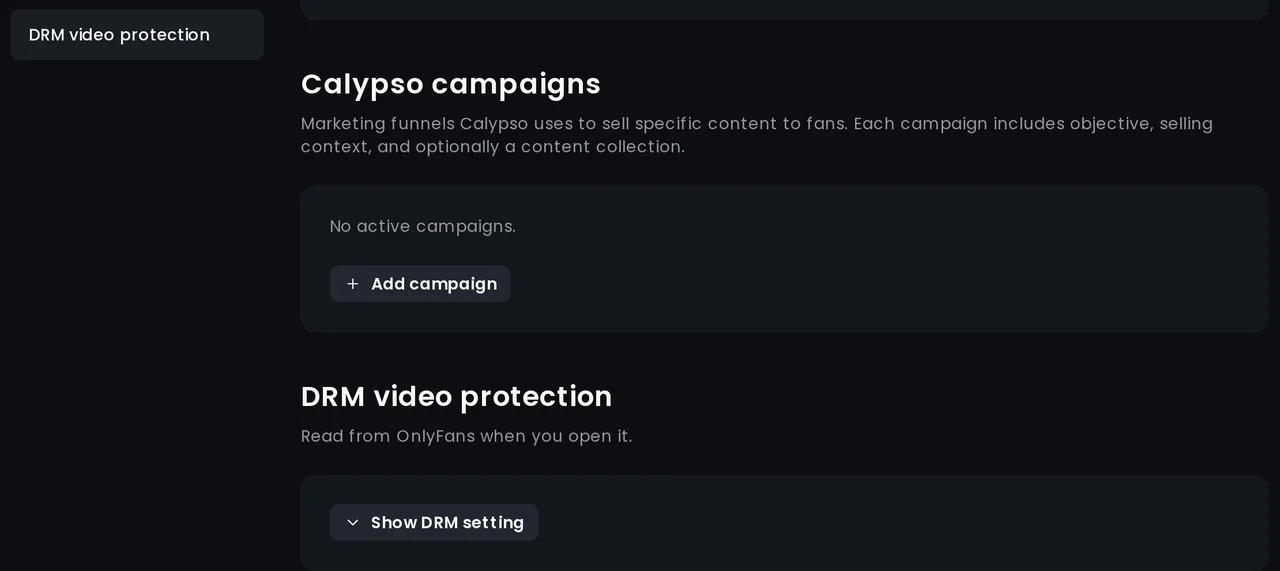
- In Profile, click DRM video protection, the last section in the list.
- Click Show DRM setting.VENUZ reads the setting from OnlyFans and shows Protected when it is on, or Off.
Change it#
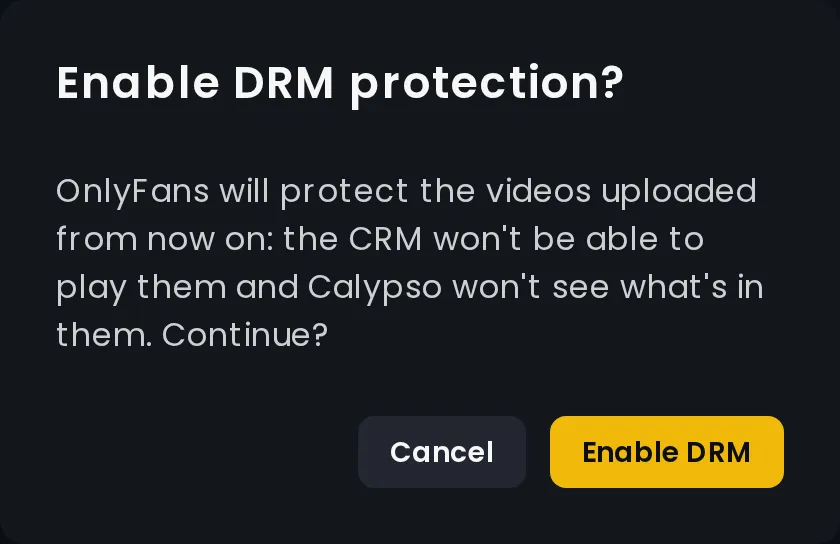
- Click the switch next to it.VENUZ asks you to confirm. Nothing changes yet.
- Click Enable DRM to confirm, or Cancel to leave it as it is.If DRM is on, the window asks to disable it and the button reads Disable DRM.
Good to know#
DRM is set for the creator’s whole OnlyFans account, not for one video.
Videos uploaded while DRM was on can stay protected. Calypso tries again to see the ones in its sets, and those it still can’t see are listed in a notice in Calypso Library.
A set with protected videos still sells. Calypso describes it with the media it can see.
Common questions#
The switch is grayed out
Changing DRM needs the Change DRM protection permission. Without it, the switch says why.
Calypso Library shows a notice about DRM
It lists the videos Calypso can’t see because of DRM. If DRM is on and you can change it, the notice has Open DRM setting. If DRM is already off, it says OnlyFans still serves those videos locked.
The section shows Retry or no switch
Retry means VENUZ couldn’t read the setting from OnlyFans, for example when the creator shows Disconnected. If you don’t have access to the creator, the section says so and has no switch.
What you see after confirming
A message says DRM enabled on OnlyFans. When you turn it off, it says DRM disabled — videos will reload.
Where to go next
Couldn’t send that. Try again.
Still stuck?
Write to us and a person from the VENUZ team answers. Tell us the creator and what you were trying to do.