
What happens while an account is disconnected
While a creator’s account is disconnected, VENUZ can’t read or send on her OnlyFans. Calypso can’t reply and her chats leave the Inbox until you reconnect.
When a creator’s account is Disconnected, VENUZ can’t read or send anything on her OnlyFans until it’s connected again. Only that creator is affected. Your other creators keep working as usual.
Where you see it#
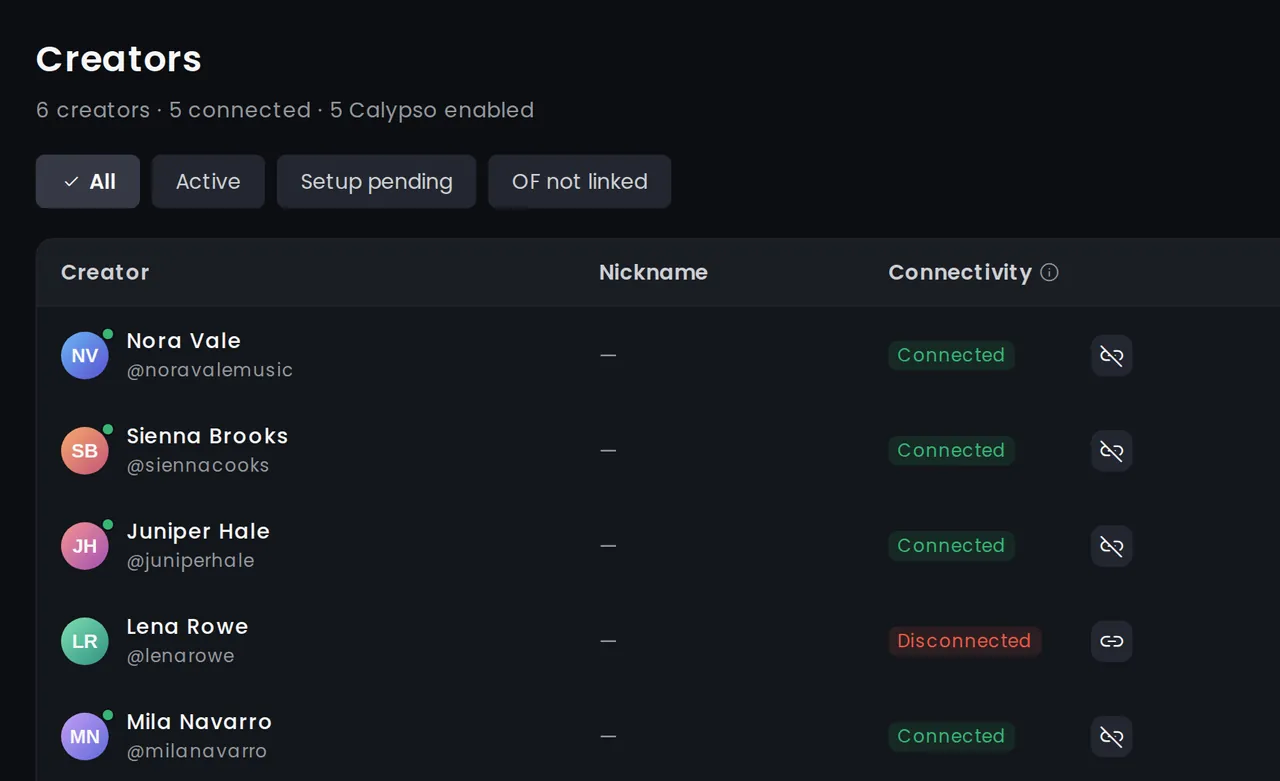
Open Creators. Her row says Disconnected under Connectivity.
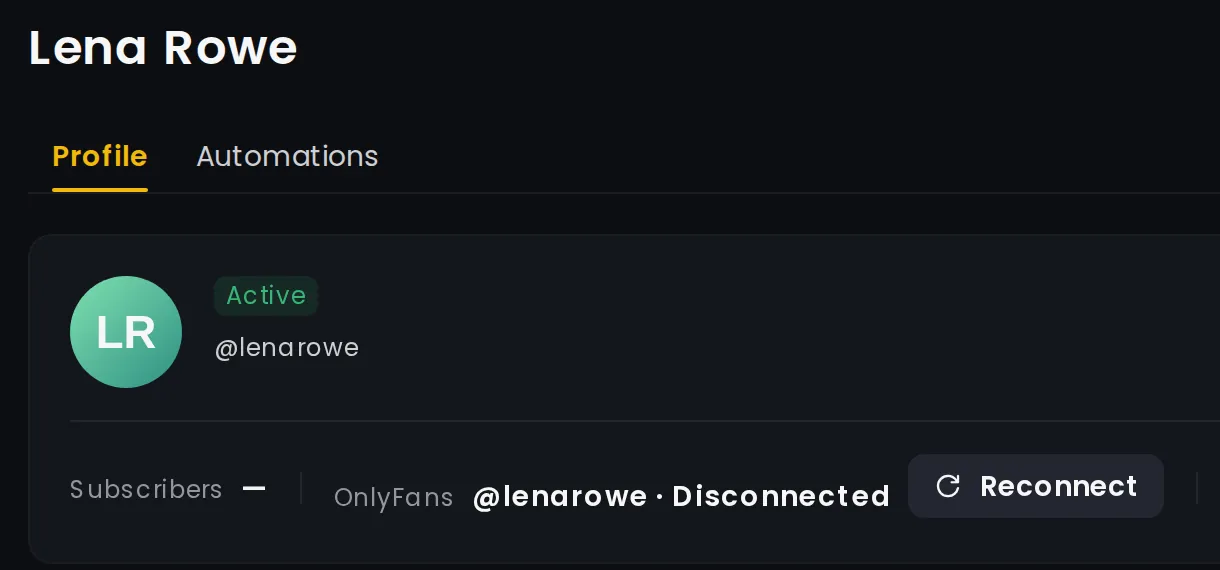
Click her row. At the top of her page, the OnlyFans box shows her username followed by the state, such as Disconnected or Log in again, and Subscribers shows a dash instead of a number.
You see it in other places too:
- Dashboard: Creators online shows how many of your creators are connected with Calypso on, for example 3 of 5. A note under it says how many are disconnected and for how many Calypso is off. Under Action items, the Creators not connected row says No new data until they reconnect. Click it to open Creators.
- Notifications: if OnlyFans asks for a verification code and nobody completes it, you get a notification with a Reconnect button, which opens Creators.
- At the top of the screen, a notice says Log in again for and her name when OnlyFans needs someone to log in to her account again.
Calypso can’t send for her#
Calypso can’t send anything for her while the account is disconnected.
- If someone disconnects the account, Calypso turns off for her right away.
- If the account shows Log in again and stays that way for more than 60 minutes, Calypso turns off for her. Until then it stays on but can’t send anything.
- While the account is disconnected, the Calypso button on her Creators page is grayed out. Hover over it to see Connect creator first.
Once Calypso has turned off, it stays off when the account reconnects. Turn it back on: see Turn Calypso off for a creator, and back on. When you do, VENUZ may ask whether Calypso should answer the fans who wrote in the meantime.
Her chats leave the Inbox#
- In the Inbox, a disconnected creator isn’t in the creator list of Conversation. If she was the one open, the Inbox shows this instead of her chats: This OnlyFans account is disconnected. Connect it again to continue. Your team can’t reply to her fans from VENUZ until she’s connected again.
- In Master, a notice says how many creators are disconnected and names them: Their chats are hidden until they reconnect. Chats from your other creators are still listed.
- Messages fans send in the meantime stay on OnlyFans. When the account shows Connected again, her chats are back in the Inbox, read from OnlyFans.

Her content stays on OnlyFans#
A disconnected creator isn’t in the OF Vault creator list either. If she was the one open, it says her OnlyFans account is disconnected instead of showing her media, with a Manage connection button. Her content is still on OnlyFans. You see it again once she’s connected.
On Creators, Inbox and OF Vault, VENUZ shows a dash or a notice instead of old data from before the disconnection.
VENUZ can’t send for her until someone completes the verification. See Complete OnlyFans’ face check.
Where to go next
Couldn’t send that. Try again.
Still stuck?
Write to us and a person from the VENUZ team answers. Tell us the creator and what you were trying to do.